
Table of contents
Running AI agents feels free until you check the bill.
I run a team of AI agents that write code, review PRs, do research, generate content, and monitor system health. When I started, I gave every agent the best model available and let them run. The output was great. The invoice was not.
Token costs compound fast when agents maintain long conversations, review entire codebases, and run autonomously overnight. A single agent session that processes 100K tokens of context doesn't feel expensive — until you realize it's doing that 40 times a day across multiple agents.
This post covers the cost levers that actually work. Not theory — these are the specific moves I've made to cut agent costs by 60-70% without degrading the work.
The Real Cost of Running AI Agents
Before optimizing anything, you need to know what you're spending. Here's what production agent systems actually cost:
| Scale | Monthly Cost Range | Primary Driver |
|---|---|---|
| Solo developer, 1-2 agents | $200–$800 | Model choice + session length |
| Small team, 5-8 agents | $3,200–$8,000 | Context accumulation + model tier |
| Production system, 10+ agents | $8,000–$13,000+ | Autonomy + concurrency |
Most of that cost comes from three things: which model you're using, how much context each request carries, and how many requests your agents make per day.
The good news is that all three are controllable.
Lever 1: Model Tiering
This is the single biggest cost lever. Not every task needs the most capable model. The mistake is treating model selection as an intelligence dial when it's actually a cost dial.
Here's the current pricing landscape:
| Model | Input (per 1M tokens) | Output (per 1M tokens) | Best For |
|---|---|---|---|
| Claude Opus | $15.00 | $75.00 | Architecture, complex judgment, ambiguous problems |
| Claude Sonnet | $3.00 | $15.00 | Product work, design, code generation, planning |
| Claude Haiku | $0.25 | $1.25 | Research, data extraction, bounded tasks |
| Gemini 2.0 Flash Lite | $0.08 | $0.30 | High-volume, low-complexity tasks |
The gap between Gemini Flash Lite at $0.08/M input and Claude Opus at $15/M input is 187x. That's not a marginal difference — it's a completely different cost structure.
Here's how I tier my agents:
- Lead agent (Opus): Writes architecture, makes judgment calls on ambiguous requirements, handles complex multi-step reasoning. This is where model quality directly impacts output quality.
- Product and design agents (Sonnet): Writes features, reviews UX, generates plans. Sonnet handles structured creative work well at 5x less cost than Opus.
- Research and utility agents (Haiku): Literature review, data formatting, code linting, simple extraction tasks. These are bounded problems with clear inputs and outputs. Haiku handles them fine.
The insight: most agent tasks are bounded. They have clear inputs, defined outputs, and don't require deep reasoning chains. Match the model to the task, not the other way around.
Lever 2: Prompt Caching
If you're not using prompt caching, you're paying full price for the same context on every single request. Prompt caching lets you pre-load stable content (system prompts, rules, documentation) and pay a fraction of the cost on subsequent requests.
Anthropic's prompt caching charges 10% of the normal input cost for cache reads. That means an 80%+ cache hit rate drops your effective input cost by roughly 70-90%.
The pattern that works is what I call the stable prefix:
1. Identity     (who the agent is — cached)
2. Rules        (constraints and guidelines — cached)
3. Process      (workflow and methodology — cached)
4. Task         (the specific work — NOT cached)
Layers 1-3 are stable across sessions. They get cached once and read cheaply on every subsequent request. Layer 4 changes per task, so it's never cached.
Before and After
| Scenario | Input Tokens | Cost per Request (Sonnet) |
|---|---|---|
| No caching, 50K context | 50,000 | $0.15 |
| With caching, 40K cached + 10K new | 50,000 | $0.042 |
| Savings | — | 72% |
Over thousands of requests per day, this adds up fast. My agents run with cache hit rates between 80-90% on their system context, which cuts input costs roughly in half across the board.
The key is keeping your cached prefix genuinely stable. If you're invalidating the cache every few requests because your "stable" context keeps changing, you're paying the cache write cost repeatedly without getting the read benefit.
Lever 3: Batch Processing
Not every agent task needs a real-time response. Code review, research synthesis, content generation, test analysis — these can all run asynchronously.
Batch APIs (offered by Anthropic and OpenAI) give you a 50% cost reduction in exchange for higher latency. Responses come back within hours instead of seconds.
Tasks I run in batch mode:
- End-of-day code review across all PRs
- Research digests and literature summaries
- Content drafts and blog post generation
- Security audit scans
- Test coverage analysis
If the agent doesn't need to interact with a human in real time, batch it. 50% off is 50% off.
Lever 4: Context Management
This is the silent cost killer. A naive conversation history — where you append every message and response to the context window — makes each subsequent request exponentially more expensive.
Here's the math on a 10-turn conversation:
| Turn | Naive History (tokens) | Managed Context (tokens) |
|---|---|---|
| 1 | 5,000 | 5,000 |
| 5 | 25,000 | 8,000 |
| 10 | 50,000 | 12,000 |
| Total input tokens billed | 275,000 | 85,000 |
The managed approach summarizes earlier turns, drops irrelevant context, and maintains only the state the agent actually needs. Same output quality, 3-5x less cost.
Specific techniques:
- Summarize, don't append. After every 3-5 turns, compress the conversation into a summary and replace the raw history.
- Use incremental state. Instead of carrying the full conversation, maintain a structured state object that captures decisions, findings, and current status.
- Scope the context window. An agent reviewing a single file doesn't need the entire repository in context. Load only what's relevant to the current task.
- Set token budgets per agent. Cap the maximum context window size and force the agent to work within it. This prevents context bloat from creeping up over long sessions.
Lever 5: Knowing When Cheap Is Good Enough
The most common mistake I see is binary thinking — either "use the best model for everything" or "use the cheapest model for everything." Both are wrong.
Tasks where cheap models work fine:
- Extracting structured data from unstructured text
- Formatting and reformatting content
- Simple classification and tagging
- Template-based code generation
- Summarization of well-structured documents
Tasks where you need the expensive model:
- Ambiguous requirements that need interpretation
- Multi-step reasoning with dependencies
- Architecture decisions with long-term consequences
- Code review that requires understanding system-wide implications
- Any task where a wrong answer costs more than the model price difference
The decision framework is simple: what's the cost of a bad output? If a research agent returns a mediocre summary, you lose a few minutes reviewing it. If your lead agent makes a bad architecture call, you lose days of rework.
Spend on judgment. Save on labor.
Putting It Together: A Real Cost Breakdown
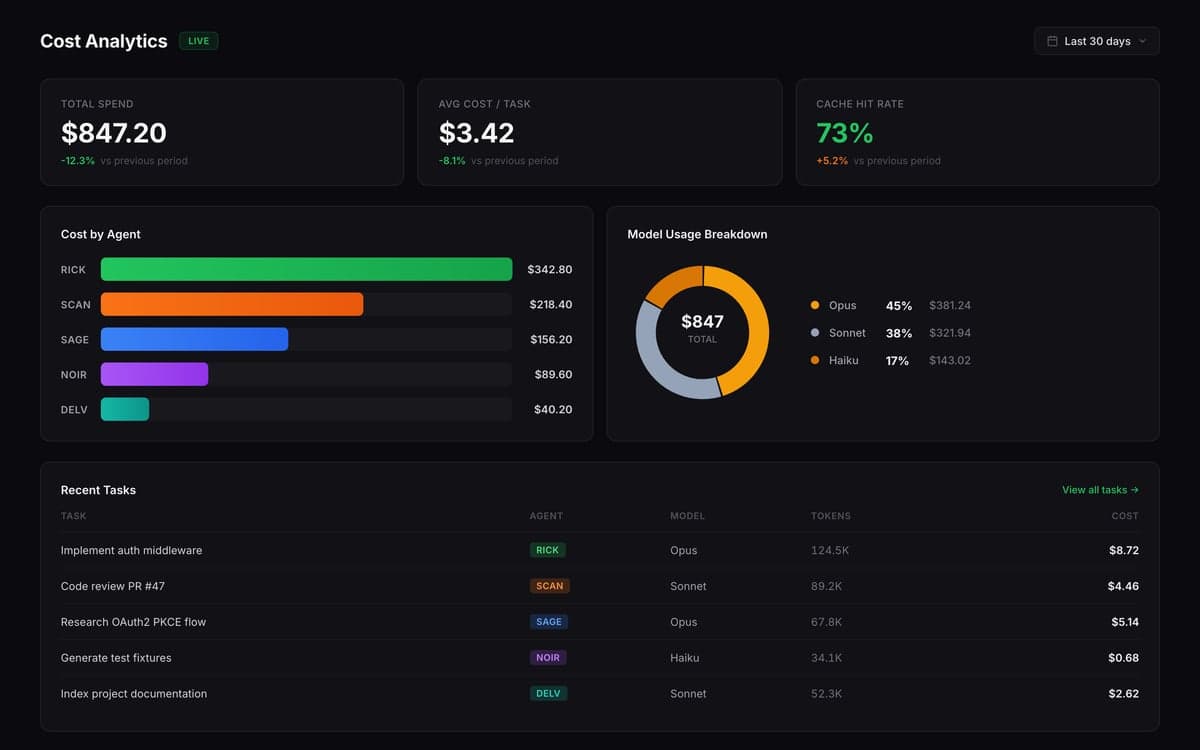
Here's what a 5-agent team looks like with and without these optimizations:
| Agent | Role | Model | Daily Tokens | Unoptimized Monthly | Optimized Monthly |
|---|---|---|---|---|---|
| Lead | Architecture + Code | Opus | 2M | $2,700 | $1,100 |
| PM | Planning + Writing | Sonnet | 1.5M | $405 | $165 |
| Reviewer | Code Review | Sonnet (batch) | 1M | $270 | $70 |
| Researcher | Research + Analysis | Haiku | 3M | $68 | $30 |
| Utility | Formatting + Data | Haiku | 2M | $45 | $20 |
| Total | $3,488 | $1,385 |
That's a 60% reduction. The optimized column applies model tiering, prompt caching (80% hit rate), batch processing for the reviewer, and context management across all agents.
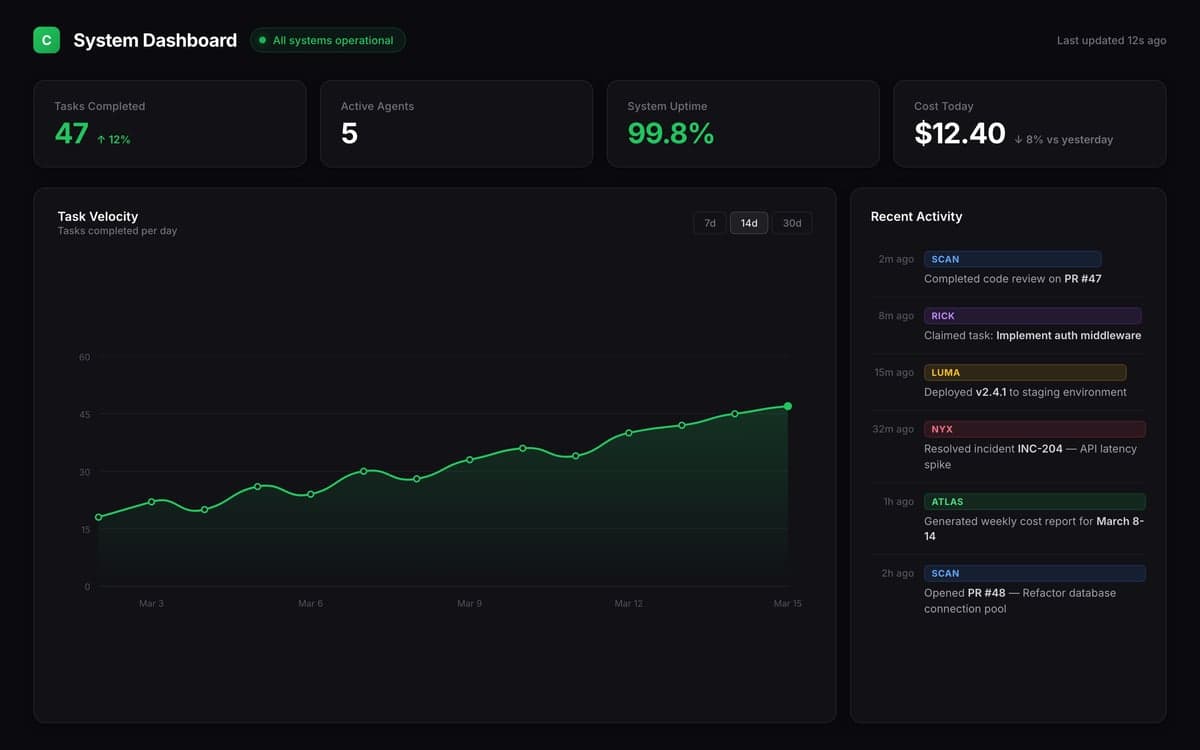
In Celune, I track these costs per agent on the usage dashboard — each agent has its own cost attribution, so I can see exactly where the spend is going and whether the optimization is actually working. If an agent's cost-per-task starts climbing, I know the context window is bloating or the cache hit rate dropped.
The Tradeoff: Don't Optimize Into Uselessness
A warning: it's possible to cut costs too aggressively. I've done it.
Downgrading the lead agent from Opus to Sonnet saved money but introduced subtle bugs that took hours to find. Running everything in batch mode saved 50% but broke the interactive workflow my team depended on. Compressing context too aggressively caused agents to lose track of decisions made earlier in the session.
The goal is efficiency, not austerity. Every optimization should be measured against output quality, not just cost. If you save $500/month but introduce 10 hours of rework, you haven't saved anything.
My rule: optimize the floor (research, formatting, bounded tasks) aggressively. Optimize the ceiling (architecture, judgment, complex reasoning) carefully.
Start With Visibility
You can't optimize what you can't measure. Before applying any of these levers, instrument your agent costs:
- Track cost per agent, per day. Not aggregate — per agent. You need to know which agents are expensive and why.
- Track cost per task. Some tasks are inherently expensive (large codebases, long conversations). That's fine. But you should know about it.
- Monitor cache hit rates. If your prompt caching isn't hitting 70%+, your prefix isn't stable enough.
- Set budgets and alerts. A runaway agent session at 3 AM shouldn't be a surprise on your next invoice.
The agents aren't going to optimize their own costs. That's your job. Give them the right model, the right context, and the right constraints — and they'll deliver the same quality for a fraction of the price.
Written by Celune Team